
Open SQL Server Management Studio and connect to the instance where PHDwin databases will be stored. The server must be a part of the domain that you created the group on.
2. Expand the Security section to find the Logins.
3. Right-click on the login that will be assigned permissions and select Properties.
4. In the Login Properties window, go to the Server Roles page.
5. Under the list of Server Roles, click the box next to public and sysadmin like this:
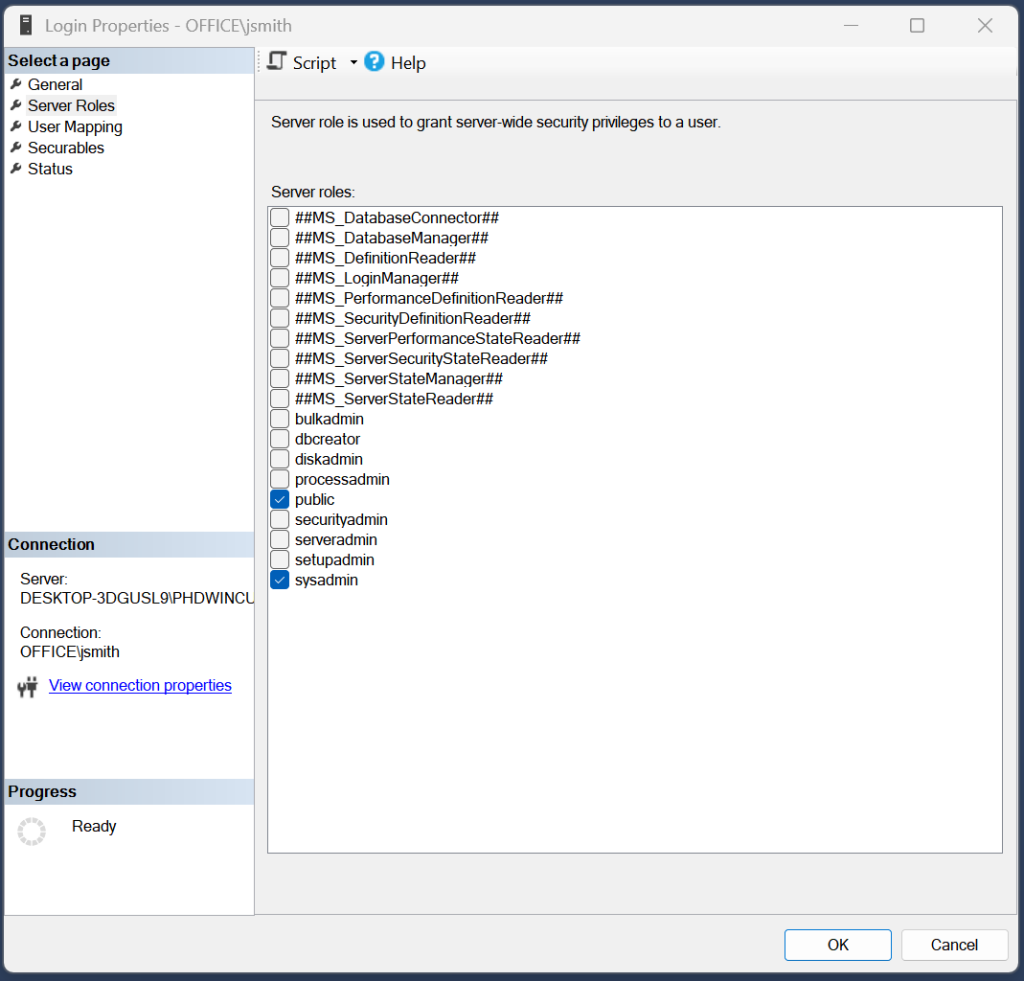
Click OK.
Click OK to save your changes.
Repeat these steps for each user.